Notes
AI note taker for lectures
Record Lecture is an AI note taker that runs in your browser. Press record when class starts and stop when it ends. A few minutes later you have notes written from what your lecturer said: a short overview, one section per topic, the key terms, and steps or tables where the lecture had them. A quiz and a tutor come with them.
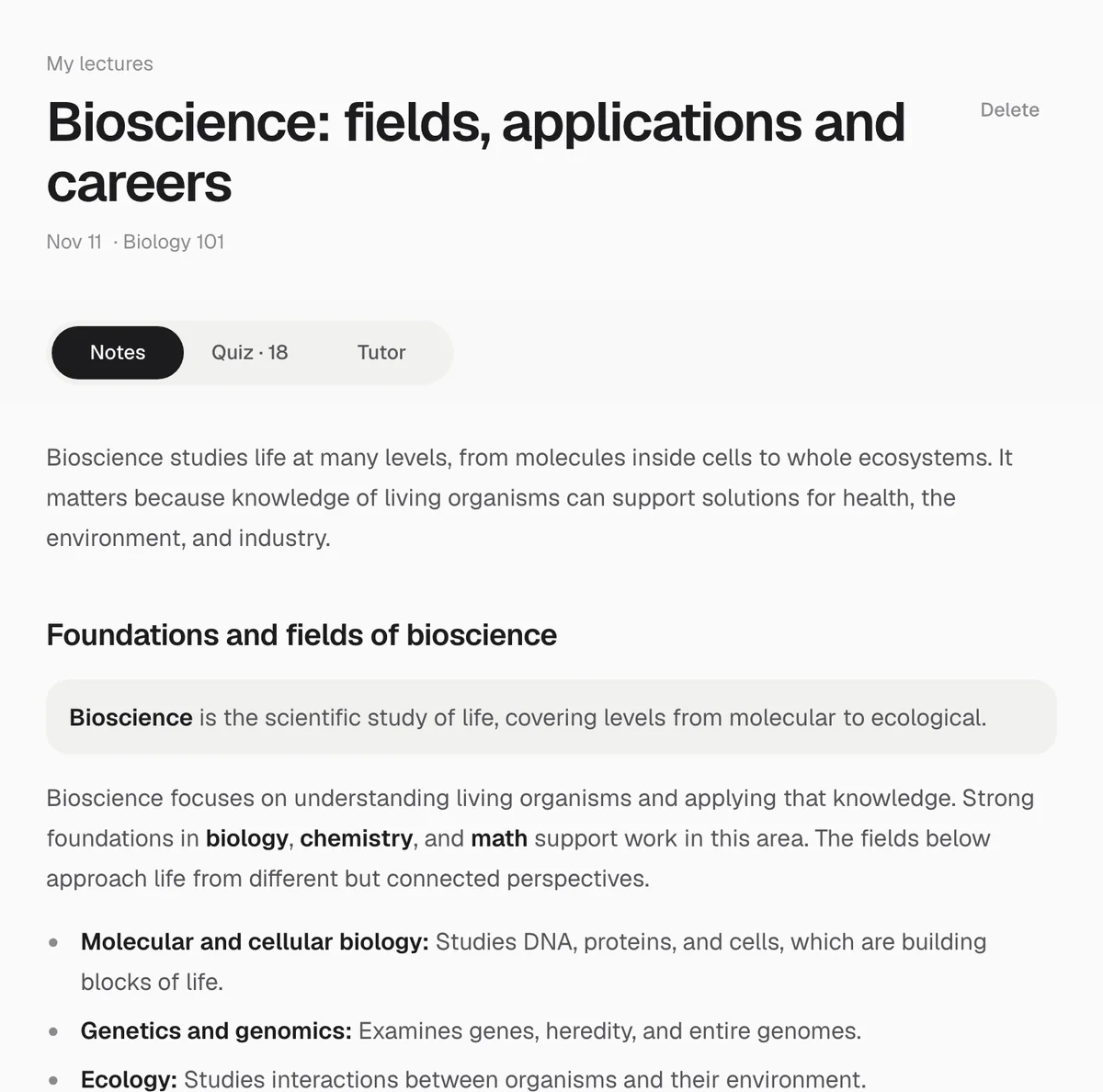
What the notes look like
Every set of notes follows the same layout, so you always know where to look:
- An overview of two or three plain sentences: what the lecture was about and why it matters.
- One section for each part of the lecture, in the order it was taught, each with a specific title.
- Inside each section, whatever fits the content: a definition set apart when a new term comes up, short paragraphs that explain how and why, numbered steps for any process, a small table for comparisons or stages, and formulas on their own line with each symbol explained.
- A worked example, only when your lecturer actually worked one through.
- A key terms list at the end: four to eight terms, each with a one-sentence definition.
Sentences are kept to about 15 words, and each technical term is explained the first time it appears. If you pressed Flag for the exam while recording, those moments are listed at the top of the notes under On the exam, with the time they were said.
The notes are written to replace listening again, so they leave out greetings, class admin and tangents, and they do not add an introduction or a conclusion your lecturer never gave.
How much shorter than the lecture are the notes?
Lecturers talk fast. In English recordings of ten minutes or more, we measured a median of 716 transcript characters per minute, which is about 134 words a minute. A 50-minute lecture is therefore around 6,700 words: more than you would ever reread.
| How much was said | Notes written to | Reading time |
|---|---|---|
| A short recording (under about 8 minutes of speech) | 300 to 600 words | 1 to 3 minutes |
| About 8 to 28 minutes of speech | 600 to 1,200 words | 3 to 5 minutes |
| A full lecture (longer than that) | 1,100 to 1,900 words | 5 to 8 minutes |
The ceiling is deliberate. In our first tests the notes came back at almost the length of the transcript, which is a reformatted transcript, not notes. The floor stops a dense lecture being squeezed into a stub.
How we measured: 167 English audio recordings of 10 minutes or more transcribed by Laxu AI (a study app from the makers of Record Lecture) between 13 October and 12 November 2026, and 13,906 words of Record Lecture transcripts for the characters-per-word ratio (5.33). Lengths are measured in characters said, so the minutes above are approximate. Reading time assumes about 238 words a minute.
Try it on your next lecture. The first one is free.
Start recordingHow it works
- Record in your browser. Open the recorder, allow the microphone and press record. One recording can run for up to two hours. Add the class name if you like, so your lectures stay sorted.
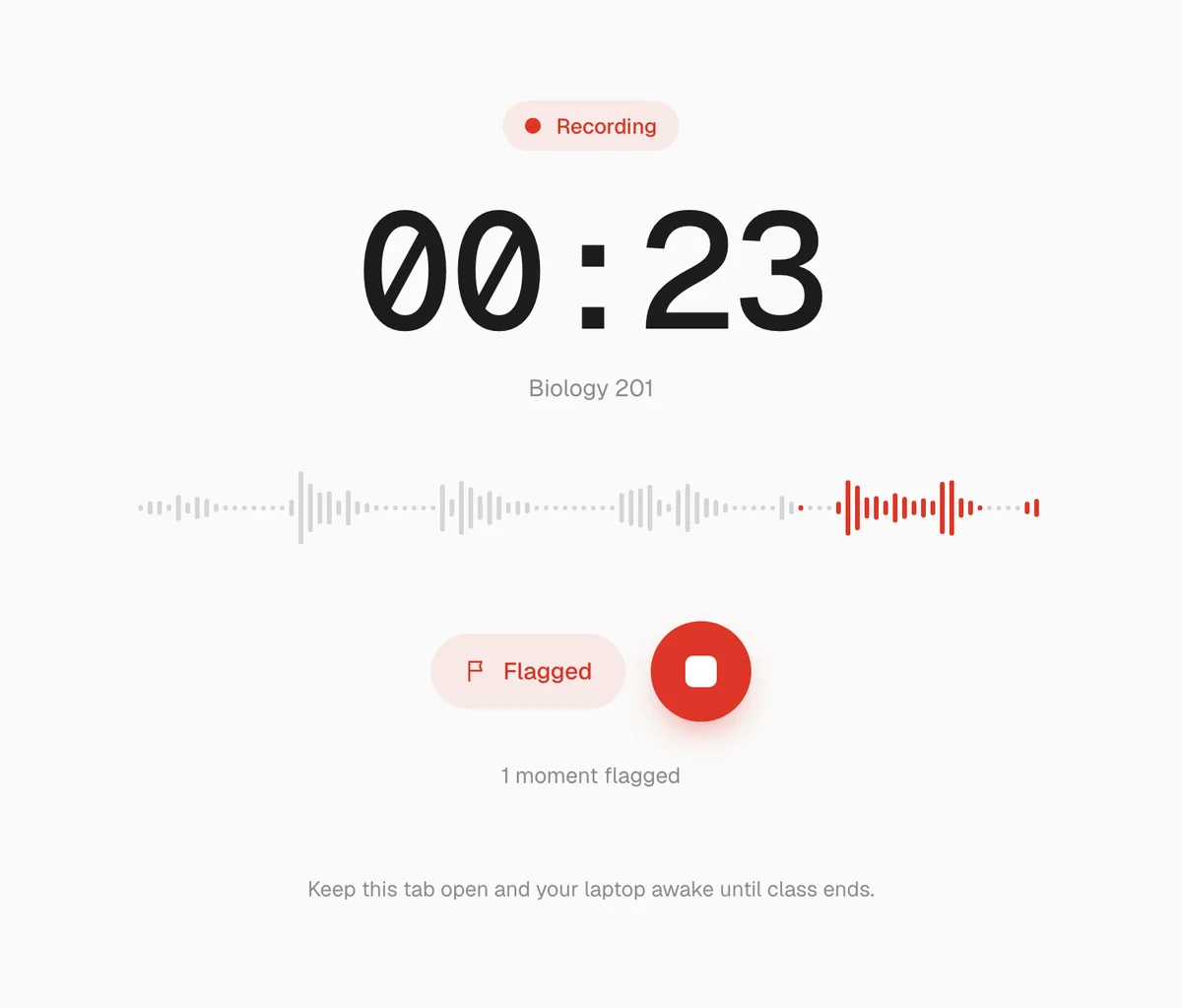
- Flag what matters. When your lecturer says something will be on the exam, press Flag for the exam. The level bars show the microphone is hearing the room.
- It is transcribed while you record. The audio goes to our servers in parts of up to ten minutes, so most of the transcript is done before the lecture ends.
- Notes after you stop. The notes and the quiz are written once you press Stop, usually within a few minutes. Then the audio is deleted from our servers.
A quiz and a tutor from the same lecture
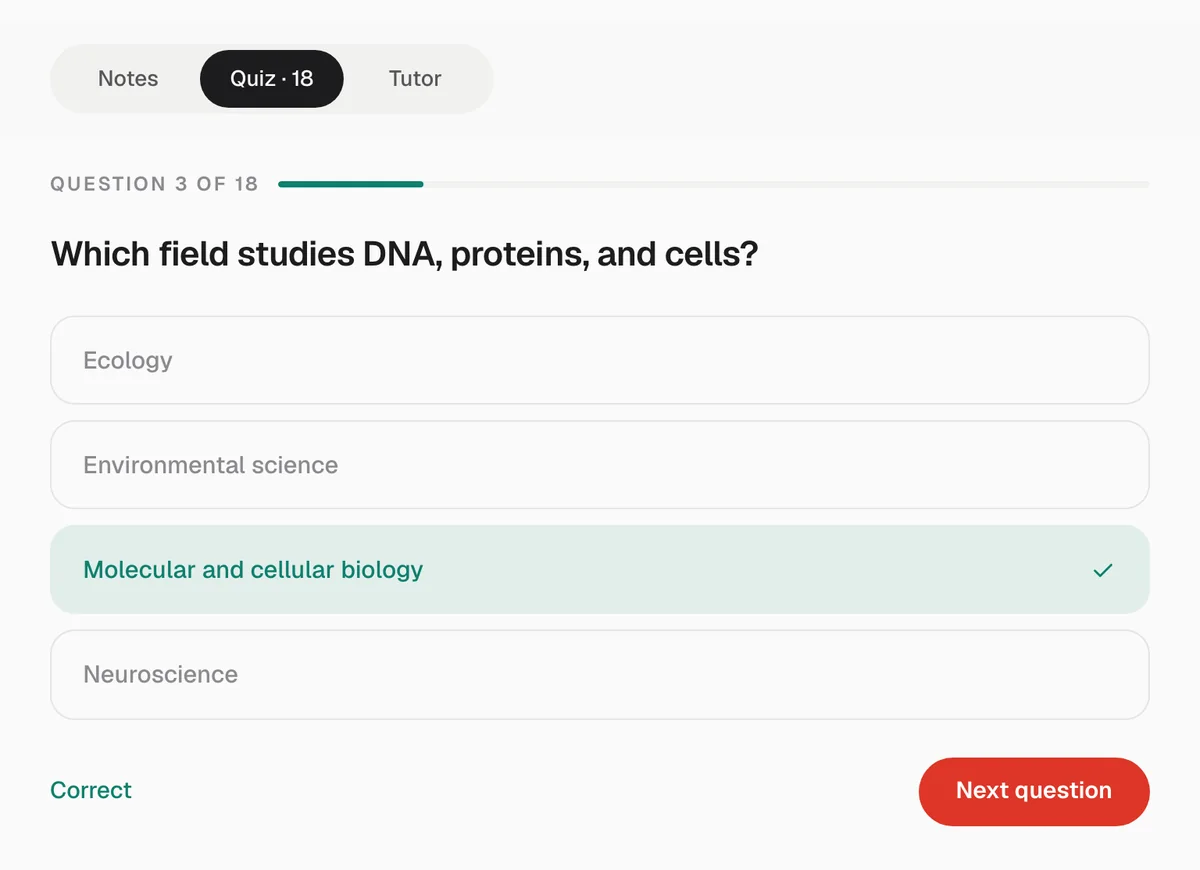
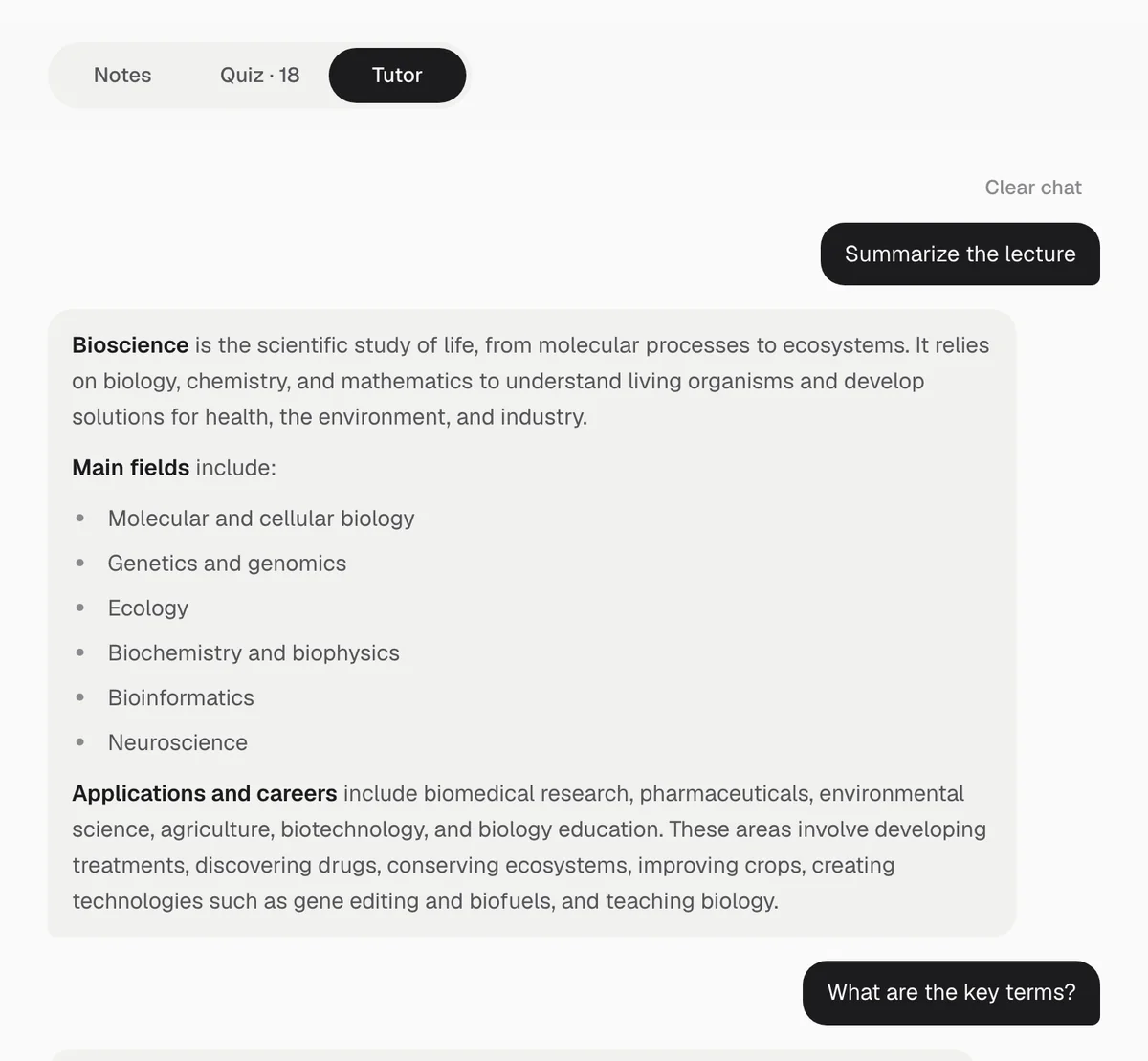
The notes are one of three tabs. The quiz has 18 to 28 multiple-choice questions written from what was said, and shows the right answer as soon as you choose. The tutor answers questions about that lecture in a few sentences. Neither uses outside material, so they test and explain the class you actually sat in.
Typing notes in class vs recording the lecture
| Typing notes yourself | Recording with Record Lecture | |
|---|---|---|
| During class | Listening and typing at the same time | Listening, and pressing the flag at key moments |
| When the lecturer speeds up | You fall behind and fill gaps later | Everything the microphone hears is transcribed |
| After class | Tidying and filling in your notes | Notes ready within a few minutes |
| Testing yourself | Writing your own questions | A quiz built from the lecture |
| Your own thinking in the notes | Yes, in your own words | No: add your own comments as you study |
Many students do both: a few handwritten lines for the things that click in the moment, and the recording for everything else.
Who it is for
- Students with fast lecturers, where typing everything means missing half of it.
- Students studying in a second language, who find it easier to read notes at their own pace than to follow fast speech.
- Students with long lecture days, who need a short version of each class to review in the evening.
- Anyone revising for an exam who wants the flagged moments and a quiz for every lecture in one place.
What an AI note taker gets wrong
- Names, formulas and jargon. Transcription can mishear them, and the notes inherit the mistake. Check anything you will be graded on against your slides.
- Anything only on the board. The notes are built from what was said. When a lecturer points at a slide and says “this one here”, the notes cannot see what was meant.
- Quiet or distant recordings. If the microphone barely hears the lecturer, the transcript is thin and so are the notes. Our guide to recording a lecture on a laptop covers where to sit and what to check.
- Your own thinking. Notes save you writing everything down. They do not replace working through problems yourself.
When to use something else
- Your notes are in slides or a PDF. Record Lecture on the web records audio; it does not read files.
- The session runs longer than two hours. Stop and start a second recording at the break, or use a tool with a longer limit.
- You need captions while the lecture is happening. Notes arrive after class, so for live captions use your university's captioning service or a live transcription tool.
- You mainly study with flashcards. Record Lecture makes notes, a quiz and a tutor, not a flashcard deck.
Questions
- Can AI take notes from a recorded lecture?
- Yes. Record Lecture transcribes the recording and writes notes from the transcript: an overview, one section per topic, key terms, and steps or tables where the lecture has them. Check names, formulas and numbers against your slides, because transcription can mishear them.
- Is there a free AI note taker for lectures?
- Your first lecture on Record Lecture is free, including its notes, quiz and tutor. It works in the browser, so there is nothing to install. More lectures need a subscription.
- Does it take notes during the lecture or after?
- After. The audio is transcribed while you record, and the notes are written once you press Stop, usually within a few minutes. There are no live notes during class.
- How long are the notes?
- For a lecture longer than about half an hour, the notes are written to 1,100 to 1,900 words, a five to eight minute read. A 50-minute lecture is roughly 6,700 spoken words, so that is about a quarter of it or less.
- Can I ask questions about the notes?
- Yes. Each lecture has a tutor that answers from that lecture only, in a few sentences, and says so when a topic never came up.
- Which languages does it support?
- English and Spanish. The notes come back in the language the lecture was given in.
Notes, a quiz and a tutor when class ends. Your first lecture is free.